LinkWise helps you save links with an AI summary and keywords you confirm—then find them later by meaning, not by which folder you remember. You can try extraction with no account.
1. Try a URL (no signup)
- Open the homepage and paste any URL.
- Click Extract—you get a title, short summary, and keyword ideas.
- When you want to keep it, create a free account and save.
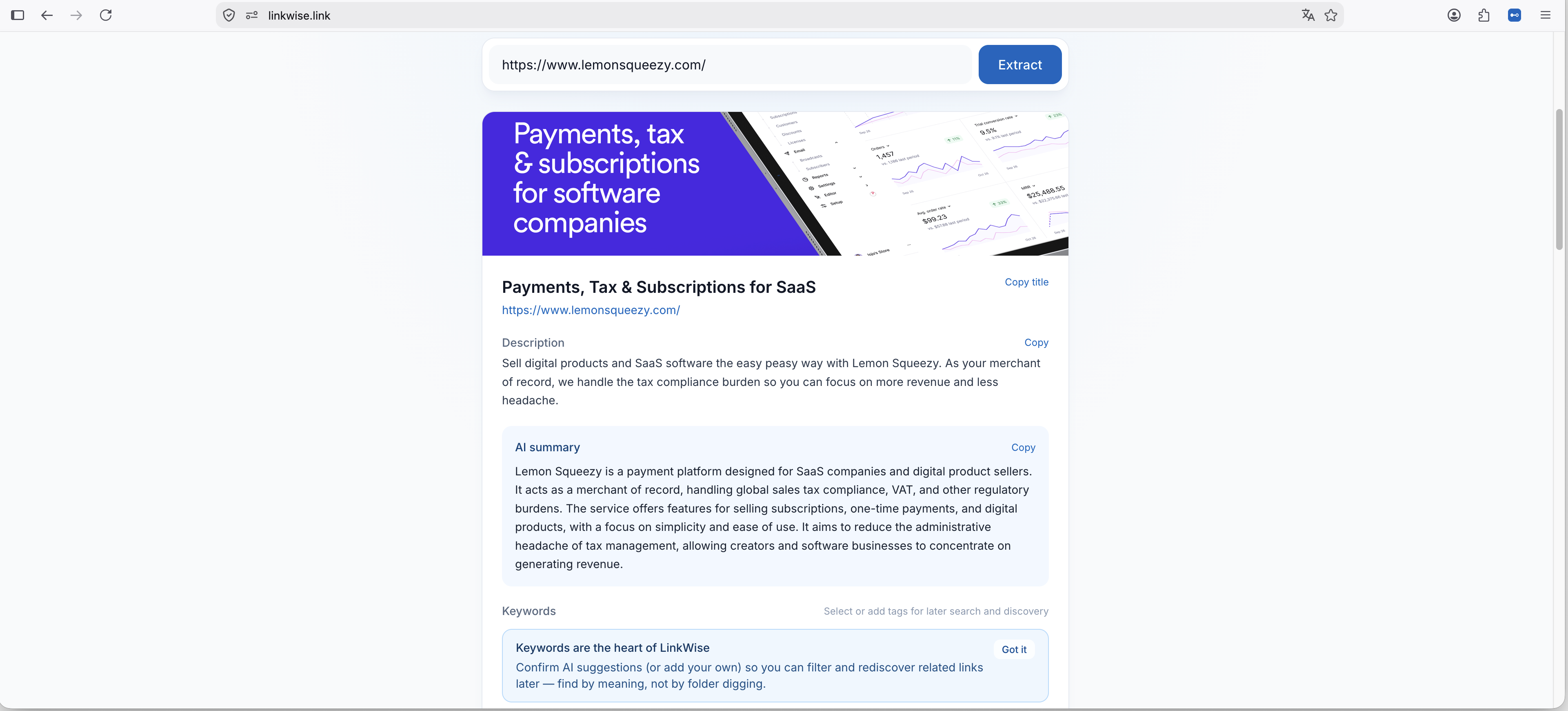
2. Create your library
- Sign up free (email or Google).
- Open My bookmarks.
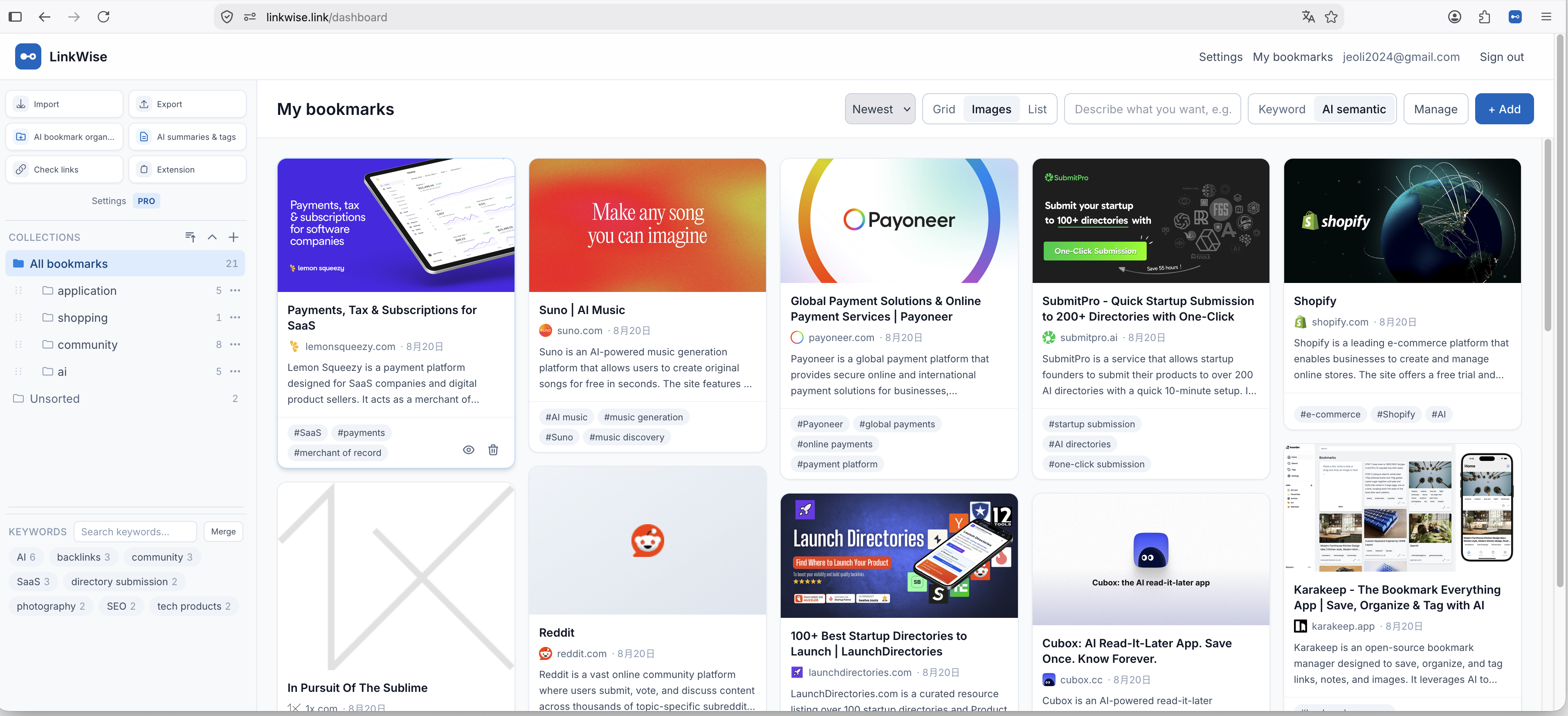
3. Save one bookmark
Use + Add in the dashboard, or install the browser extension for one-click saves while browsing. Confirm keywords once so search stays accurate later.
Free includes unlimited bookmarks and 10 AI summaries & tags per month. You can still save without AI when the quota is used.