Blog
LinkWise 1.0: an AI-powered bookmark knowledge base
Why we built a middle path between bookmark managers, later-read apps, and AI vaults—and what ships in the international 1.0 loop: capture, enrich, find, ask with citations, and export to Obsidian.
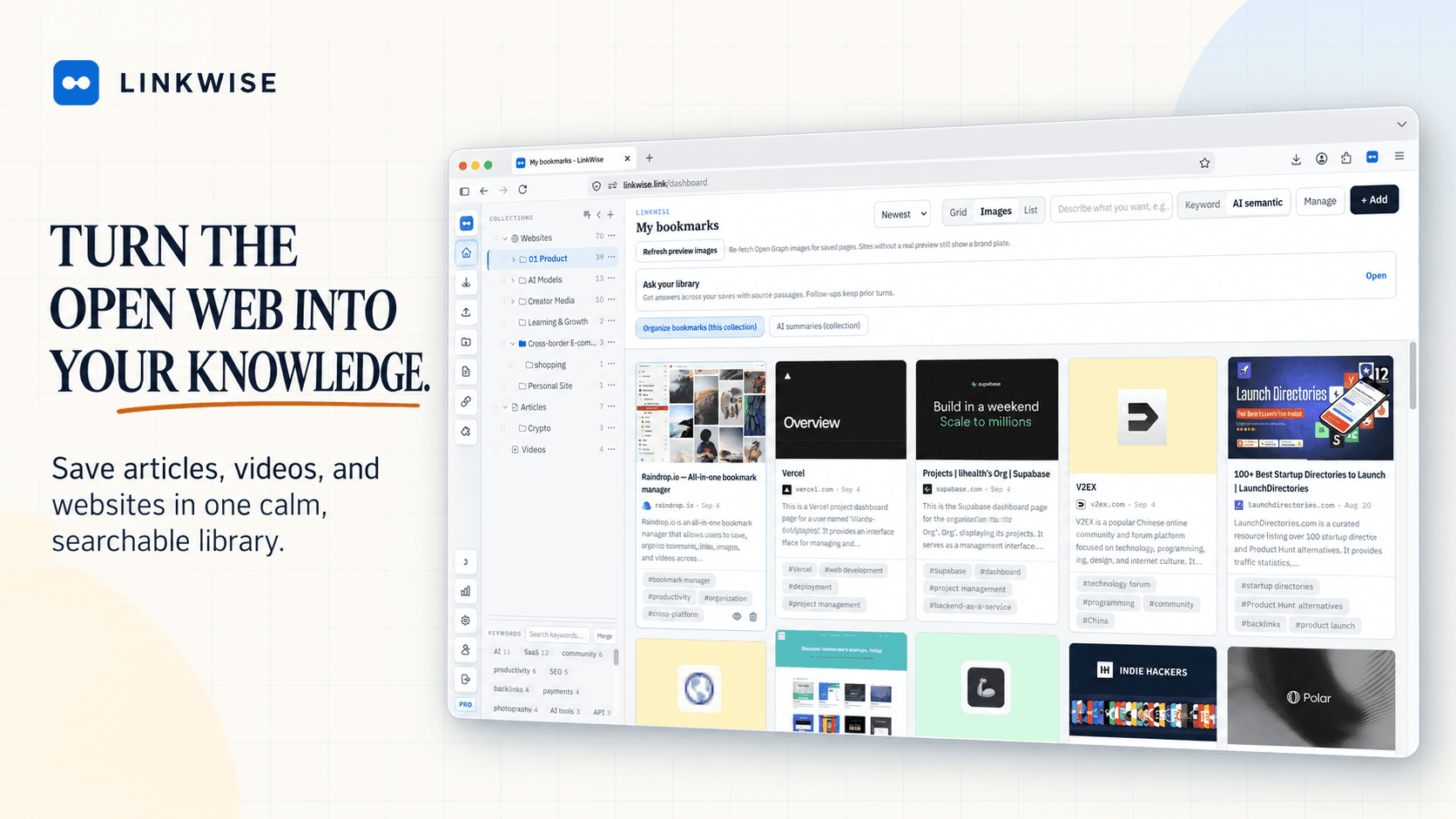
What 1.0 means for us
Today we are shipping LinkWise 1.0—the first version we are willing to call a complete international product, not a sequence of experiments.
1.0 does not mean every platform, every source, or Product-Market Fit. It means the main loop is closed and stable enough to support for the long term: save a public URL → keep readable source material → find it later → ask with citations → leave with Markdown.
If you have been following along since the early builds, thank you. This note is both a product tour and a clear statement of why we sit where we sit.
The open web is still the intake
Most of the knowledge people actually use still arrives as a public page, article, or video—not as a blank note they wrote from scratch. Browsers, feeds, newsletters, and YouTube remain the front door.
Bookmark folders were invented for that door. They solved storage. They never solved reuse. Titles go stale. Folders multiply. The link that mattered last month is invisible the moment you forget the exact words on the card.
AI changes the job. It is no longer enough to file a URL. The useful product has to extract, structure, and retrieve what you chose to save—while keeping the original source honest and clickable.
The gap we kept seeing
When we looked at the market, three families of tools were strong—and incomplete for this job:
- Bookmark managers (collections, visuals, multi-device sync) are excellent at organizing links. They rarely turn those links into a citable knowledge layer.
- Later-read / Reader apps excel at queues, highlights, and finishing the pile. When the problem is *reuse of what you already saved*, the queue is the wrong metaphor.
- AI knowledge vaults are powerful when chat sits on notes and PDFs you already own. They are a weaker fit when every new asset should begin as a public URL you deliberately captured.
We wanted the middle: URL-first capture with the enrichment and retrieval people now expect from AI—without pretending LinkWise is a second brain for every file on your disk.
Our positioning: AI-powered bookmark knowledge base
In English we say AI-powered bookmark knowledge base. In Chinese: AI 书签知识库.
The spine is simple: 收藏 → AI 摘要/转录/标签 → 语义搜索与关联 → 引用问答 → 导出 Obsidian.
Bookmarks stay the unit of intake. AI is the processing layer. Citations and export keep the system honest and portable. That is the product we are shipping as 1.0—not a clone of Raindrop, Reader, or Recall, and not a generic chat wrapper.
For a shorter public framing of the category, see AI-powered bookmark knowledge base.
Capture without breaking the browse
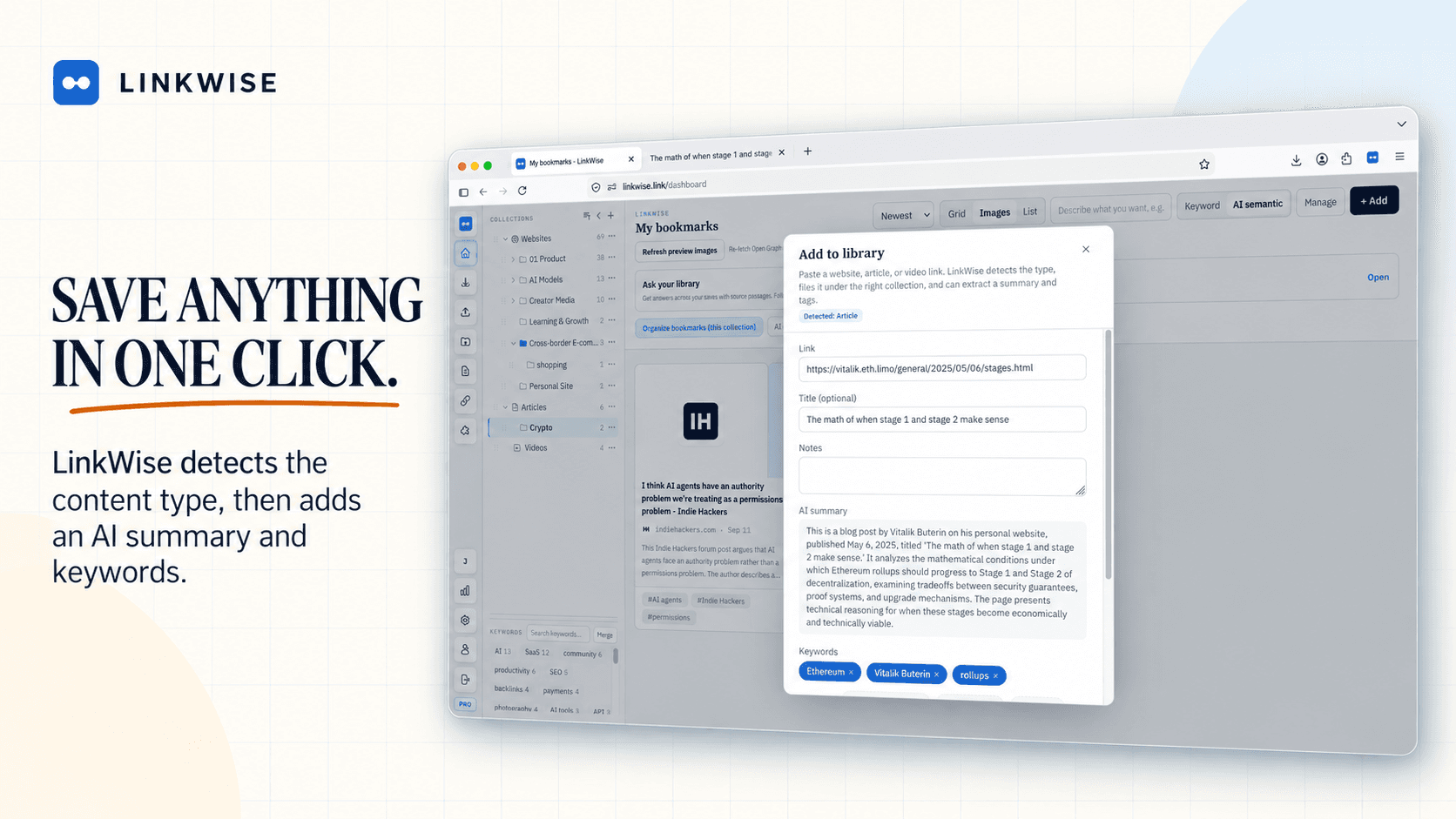
1.0 starts where the web starts: in the browser. The extension saves the page you are on with one click. You can also paste a URL on /try for a free preview—summary, tags, and a body or caption snippet—before you create a library.
We treat capture as the beginning of a knowledge object, not the end of a to-do. Titles, domains, and folders still matter; AI enrichment sits beside them instead of replacing your judgment.
Articles you can actually re-read
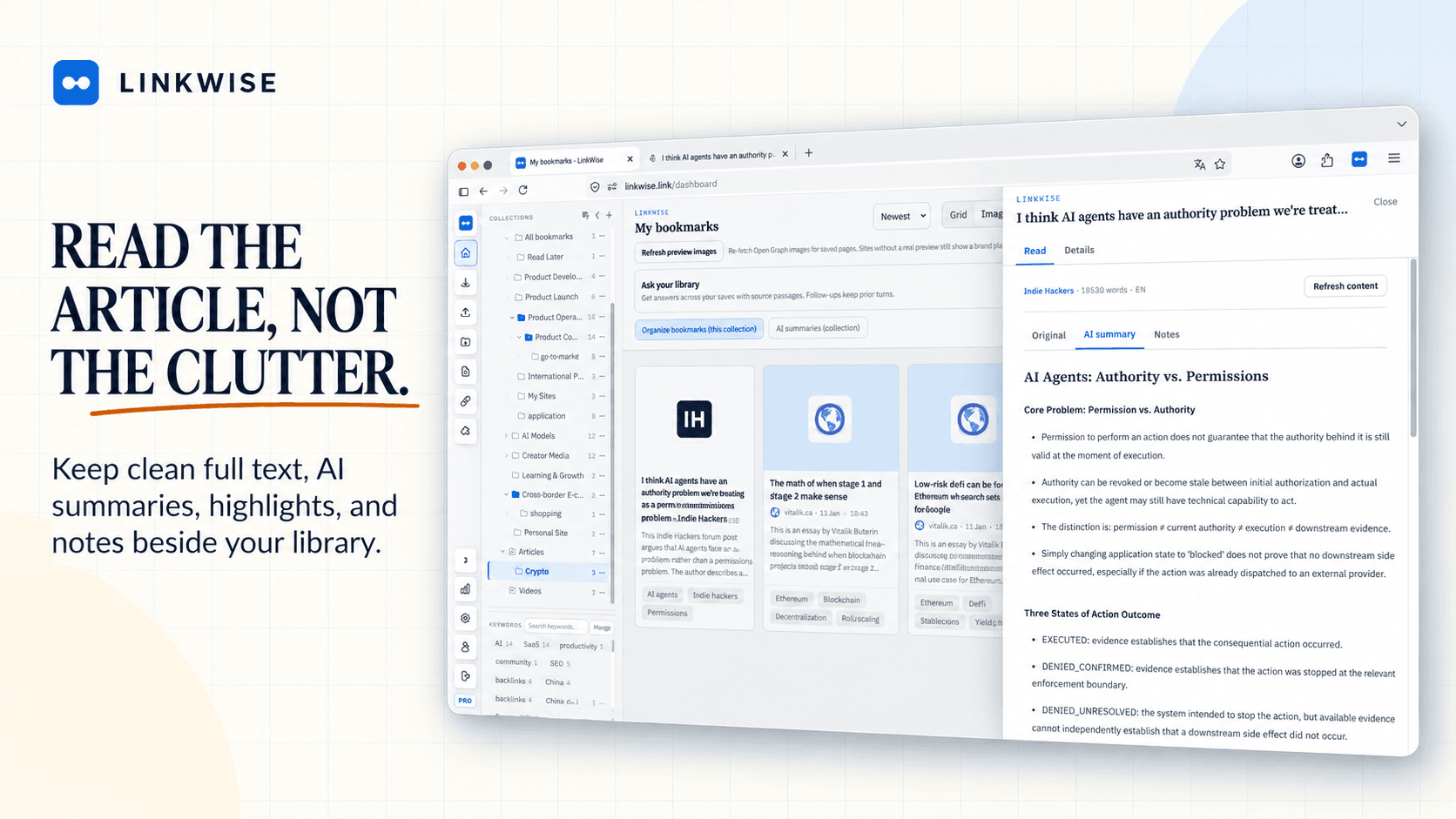
A bookmark that only stores a title is a promise. LinkWise keeps readable article text when the page allows it, so you can return to the words—not only a thumbnail and a hope that the URL still resolves.
Reading lives next to the source. Summaries and keywords are helpers; the body remains the evidence.
YouTube as transcripts, not just tabs
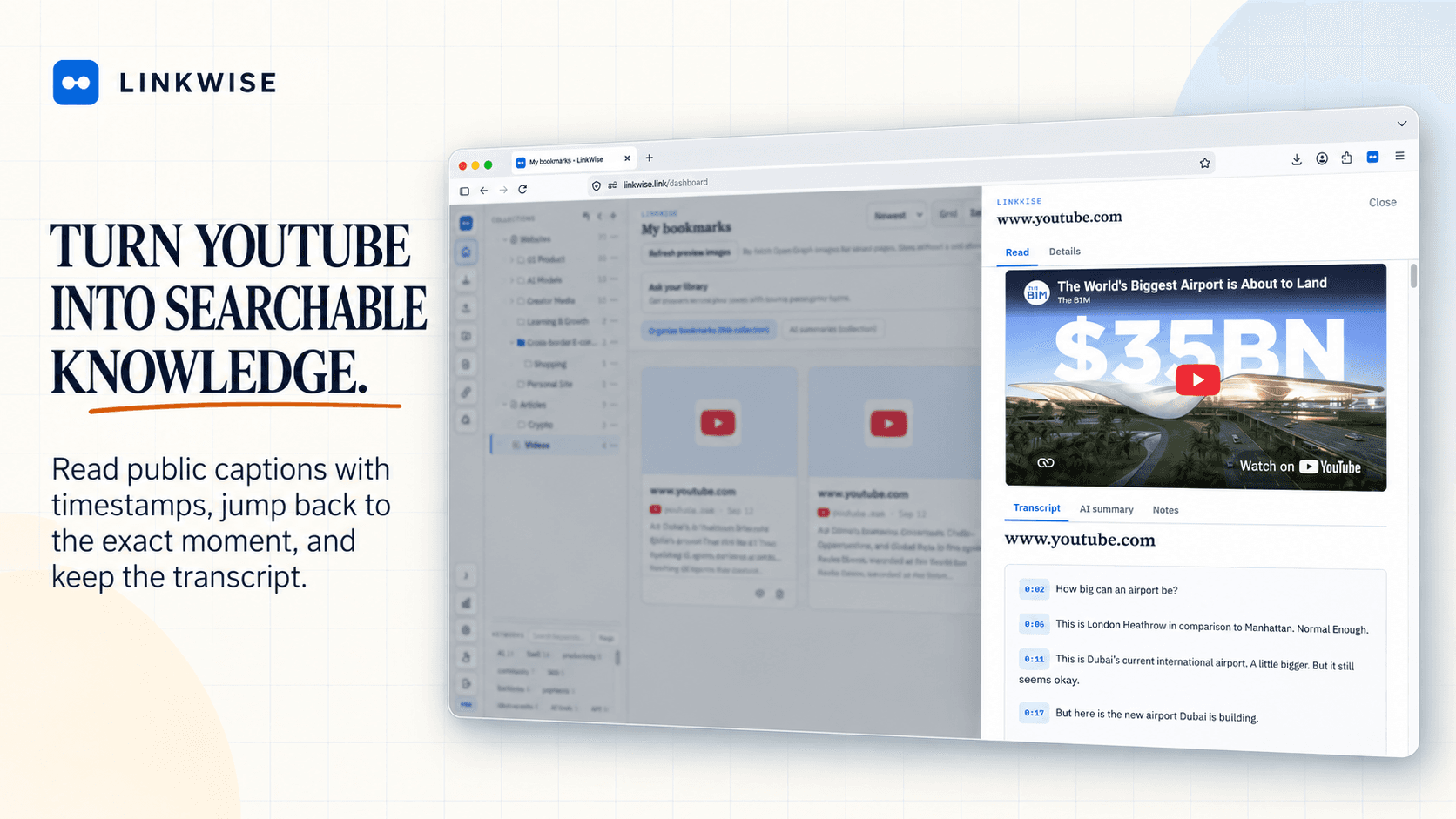
Video is half of how people learn on the open web, but most “saved videos” die as unwatched tabs. When public captions exist, LinkWise turns them into timestamped transcripts you can search, cite, and export.
No public captions means we stay honest: you still have the link card; we do not invent speech. The product story for this path is also on Save YouTube videos.
Find by keyword or by meaning—then ask with citations
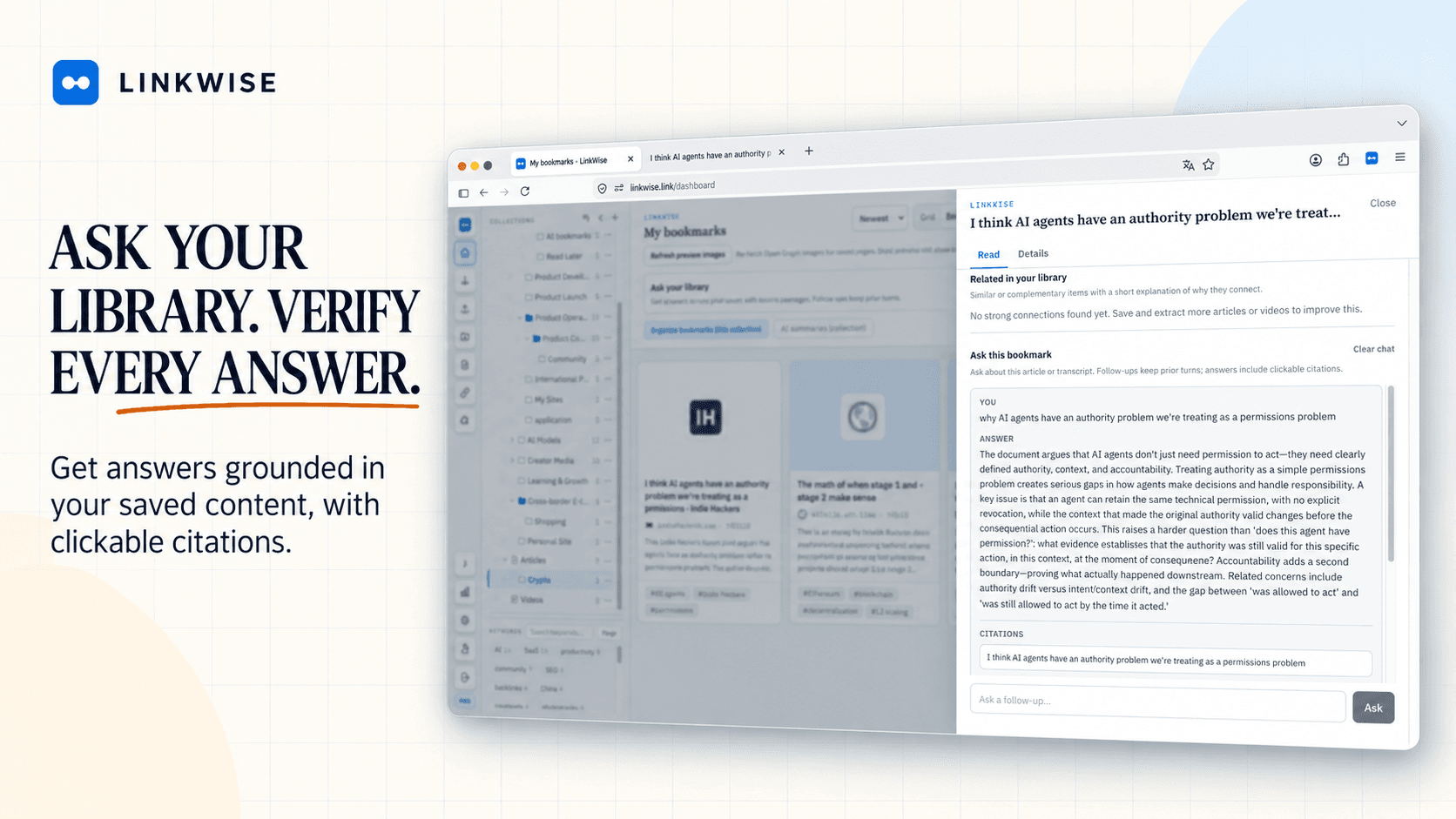
Free libraries include keyword search and confirmed tags. Pro adds semantic search when you remember the idea but not the title, plus Ask with citations that points back to passages you own.
This is the difference between a pile and a knowledge base. Answers without sources are a parlor trick. Answers with jump-back citations are a workflow.
Leave with files: Markdown for Obsidian
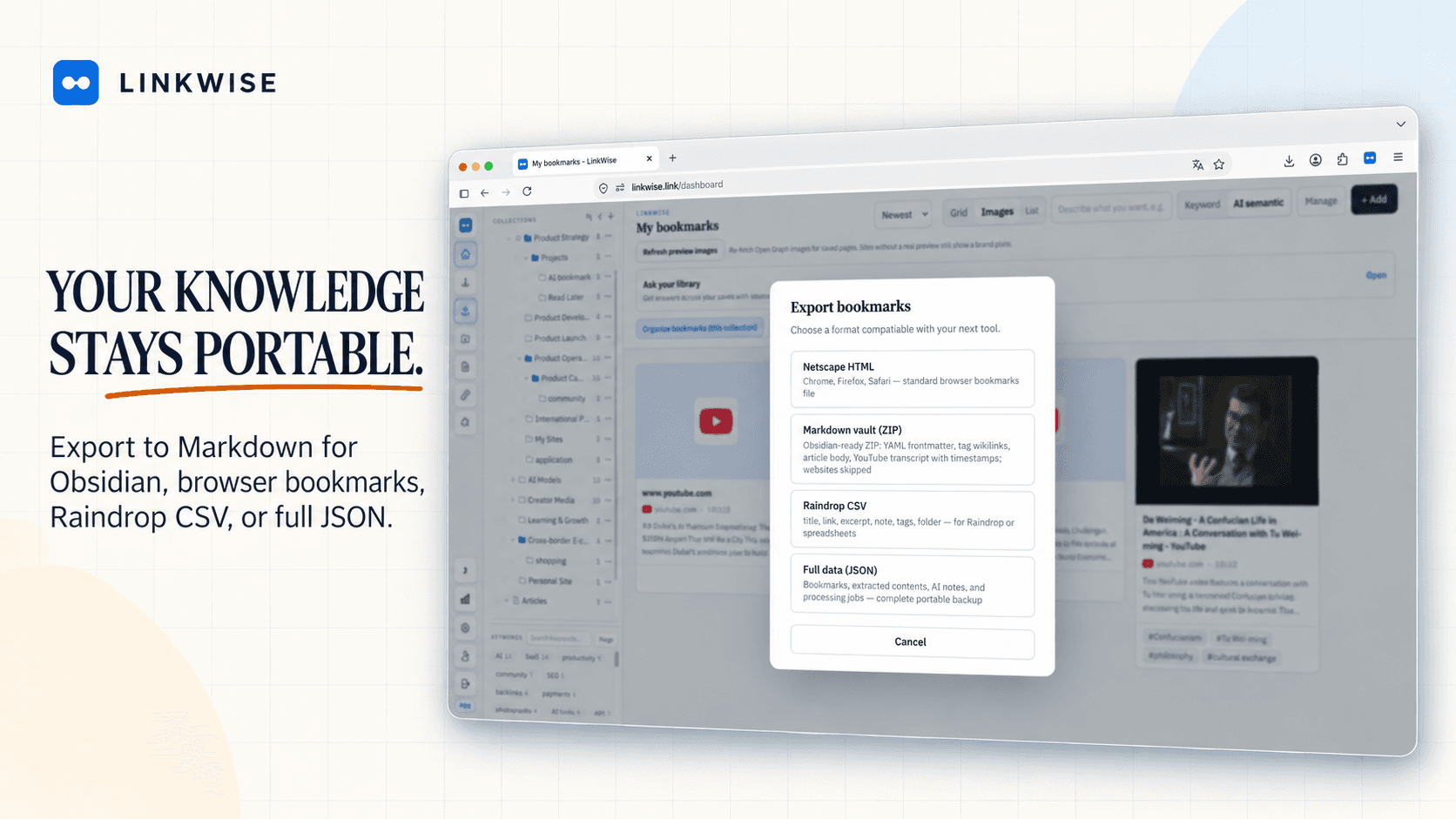
We do not want your knowledge trapped in our UI. 1.0 includes Markdown export suitable for Obsidian (and any vault that reads Markdown), with source metadata and transcripts when they exist.
Automatic two-way sync is intentionally not part of 1.0. Export is the supported handoff today; deeper Obsidian sync is on the roadmap after this release. See Obsidian bookmark export.
What ships in the 1.0 loop
Putting the pieces together, international 1.0 is this closed path:
- One-click / URL capture for public articles, YouTube, and sites
- Article full text and public-caption transcripts when available
- AI summaries, keywords, and organization aids (with Free monthly quotas)
- Keyword search on Free; semantic search, explained connections, and cited Ask on Pro
- Import from browser bookmarks; export Markdown / HTML / CSV / JSON
- Account deletion and portable takeout—your library is yours
- Sustainable Free / Pro pricing so processing costs stay honest
Anonymous preview on /try lets anyone test a URL before signing up. LinkWise Observer remains a separate free summarizer surface; the main product lives on linkwise.link.
What 1.0 deliberately is not
Clarity matters more than a longer feature list. 1.0 is not:
- A China-region product (WeChat / Bilibili ecosystems are a later platform chapter)
- A team workspace or native mobile app
- A PDF / podcast / email inbox vault
- A real-time bidirectional Obsidian plugin (export first; sync later)
- A claim that every URL on the internet extracts perfectly—failures stay visible and retryable
We would rather ship a sharp middle than blur into every adjacent category.
Try the loop
If the open web is how you learn, start with one real URL on /try. If it feels like the missing layer between “I saved this” and “I can use this,” create a free library and keep going.
How-tos stay in Guides. Click-by-click setup stays in Docs. This blog is where we will keep writing about why the product moves the way it does.
Welcome to LinkWise 1.0.