Honest comparison
A Raindrop alternative when reuse matters more than collections.
Raindrop is a strong visual bookmark manager. LinkWise is a better fit when folders and titles are not enough—when you need confirmed keywords, meaning search, cited answers, and a path into Obsidian.
Not a universal replacement · test with your own links first
When LinkWise is the better fit
Same product mainline—emphasized for people comparing bookmark tools.
01
Capture
One-click save for articles, YouTube, and useful sites.
02
Confirm
AI suggests tags; you keep the useful ones.
03
Find
Keyword search free; Pro finds by meaning.
04
Reuse
Cited Ask and Obsidian export—not another silo.
Evidence from the product
Capture, semantic find, and cited Ask in real UI.
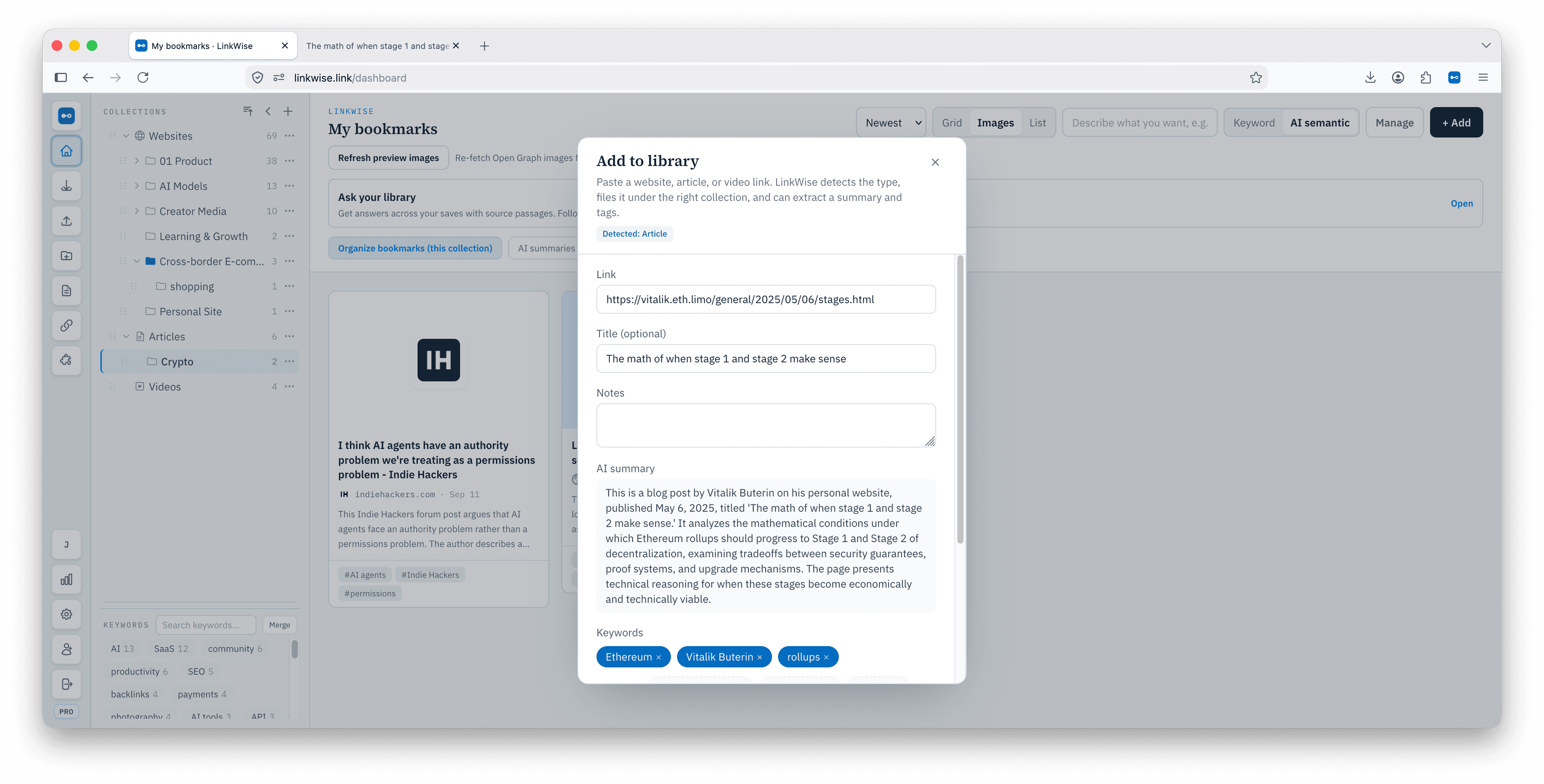
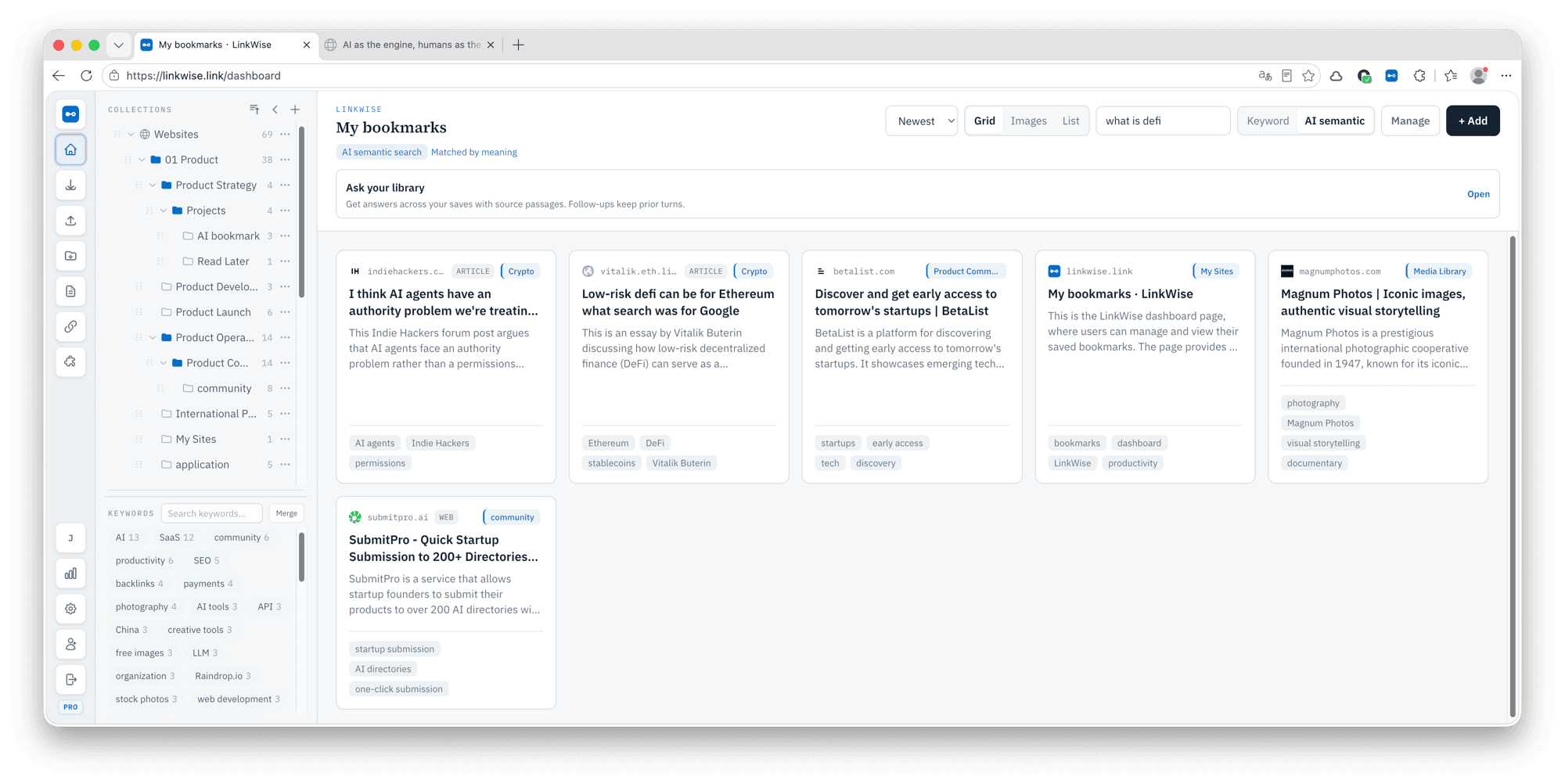
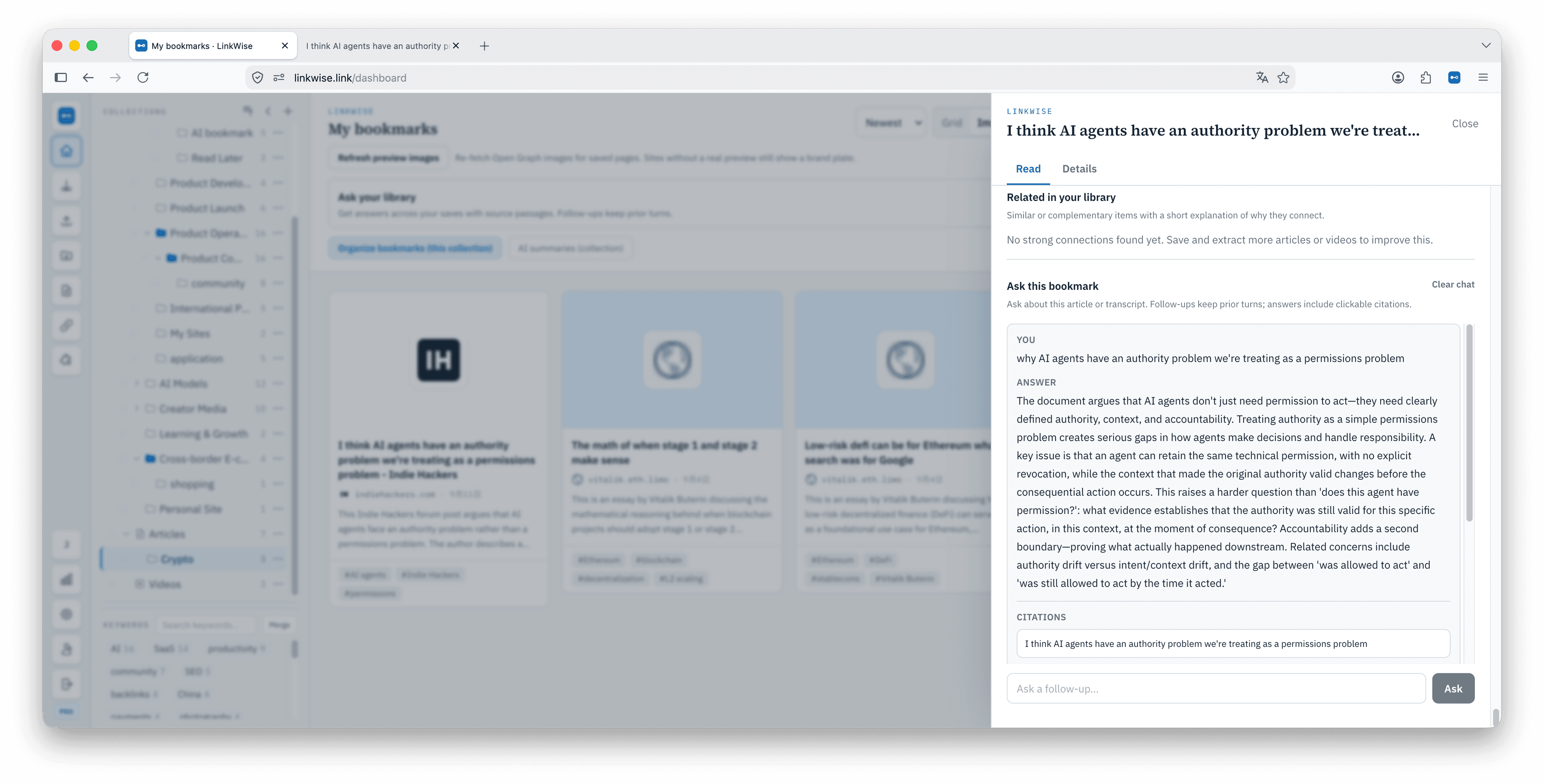
Choose by retrieval habit
Stay on Raindrop if visual collections and a mature bookmark ecosystem are central. Switch only if a different retrieval model solves a real problem.
- Raindrop: polished collections, familiar bookmark workflows, strong visual browsing.
- LinkWise: confirmed keywords, semantic search, cited Ask, YouTube transcripts, Obsidian export.
- Test before migrating: try five to ten representative links on /try, then read the long guide.
Feature comparison (from current product sites)
Raindrop features from raindrop.io. LinkWise is Web 1.0 + Chrome/Edge/Firefox. “Partial” means a related capability exists but is not the same product.
| Raindrop.io | LinkWise | |
|---|---|---|
| Job | All-in-one bookmark manager | AI bookmark knowledge base (reuse after save) |
| One-click browser save | Chrome, Firefox, Safari, Edge | Chrome, Edge, Firefox (no Safari store) |
| Native mobile / desktop apps | iOS, Android, iPad, Windows, Mac | No native apps in 1.0 |
| Visual collections / nested boards | Yes — core product | Collections exist; not visual-first |
| Tags | Tags + filters by type/domain | AI suggests; you confirm keywords |
| Multiple library views | Grid, headlines, masonry, list | Library + reading + Ask |
| In-page highlights | Yes — annotate the live web | Notes on a save, not a web highlighter |
| Reader / preview in-library | Articles, videos, web preview | Article body when extraction works |
| Full-page web archive | Yes — copies of saved pages | Readable text/transcripts, not a WARC archive |
| Full-text search | Pages, PDFs, YouTube speech (paid) | Keyword search on Free; meaning search on Pro |
| Duplicates & broken links | Built-in cleanup | On-demand dead-link check (not always-on) |
| Cited Ask over your library | Not the product | Pro — answers jump back to a saved passage |
| YouTube | Save + searchable spoken content | Timestamped transcripts when public captions exist |
| PDF / file upload | Yes | No — public URLs only |
| Sharing & teams | Public pages, permissions | Personal library only |
| Integrations / API | X, YouTube favs, public API | No public API or MCP in 1.0 |
| Export | Import/export anytime | HTML, CSV, JSON, Obsidian-ready Markdown |
| Obsidian as destination | Generic export | YAML, linkwise_id, templates (custom = Pro) |
| Free bookmark cap | Unlimited bookmarks | Unlimited bookmarks; 10 AI enrichments/month |
Compare with your own links.
Do not move a whole library on a feature list—preview one URL, then decide.